10 Santa Sack Sublimation Designs for Magical Gift Bags
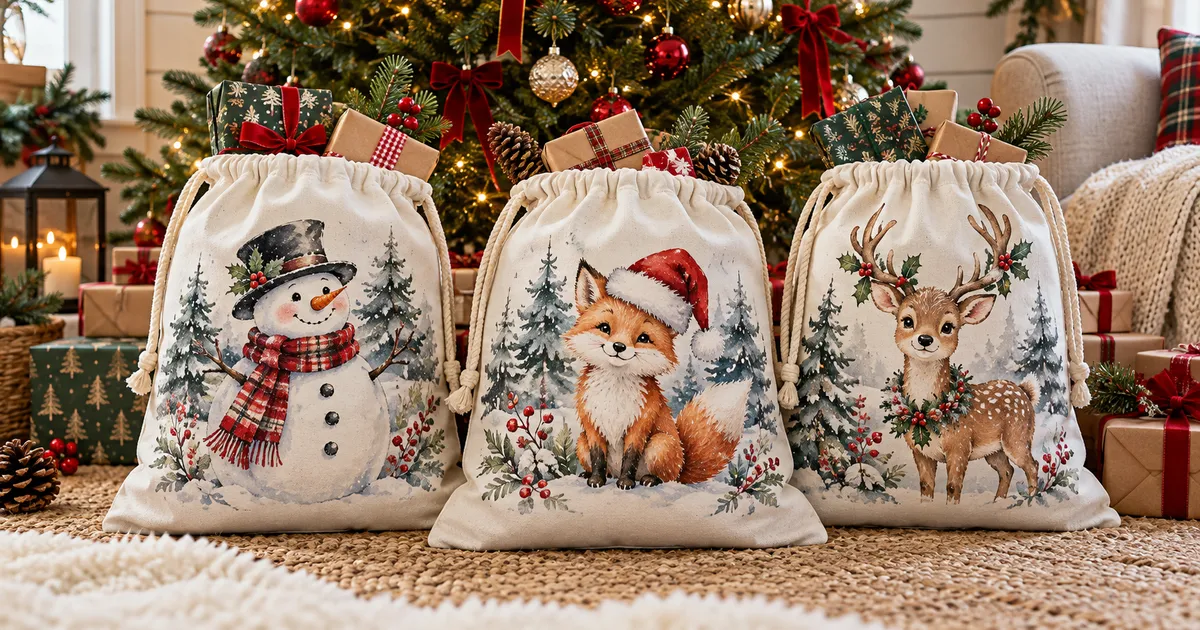
Santa sack sublimation designs turn a plain gift bag into a little North Pole delivery. These ten downloads include animal portraits, festive postmarks and larger sets for coordinating several sacks. Choose the artwork first, then check your blank material, printable area and space for adding a name before you prepare the transfer.
| Design | Includes | Best for |
|---|---|---|
| 1. Santa Sack Sublimation Bundle – 15 Designs | 15 PNGs + 15 JPGs | Coordinated animal bags |
| 2. Santa Sack Bundle of 12 Christmas Prints | 12 PNGs | Round delivery badges |
| 3. Santa Sack Sublimation Bundle – 20 Designs | 20 PNGs | Mixed festive characters |
| 4. Santa Sack Sublimation Bundle – 20×27-Inch Set | 20 PNGs | Vintage Santa deliveries |
| 5. Santa Sack Sublimation with Teddy Bear | 1 PNG, 20×27 in | Teddy bear gifts |
| 6. Santa Sack Sublimation, Gingerbread Man | 1 PNG, 300 DPI | Gingerbread gift bags |
| 7. Christmas Santa Sack Sublimation Bundle | 15 PNGs | Woodland Christmas sacks |
| 8. Santa Sack Sublimation with Penguin | 1 PNG, 20×27 in | Penguin lover gifts |
| 9. Santa Sack Sublimation Snowman Design | 1 PNG, 300 DPI | Snowman Christmas gifts |
| 10. Santa Sack with Christmas Reindeer | 1 PNG + 1 JPG | Reindeer themed gifts |
Why You'll Love These Designs
A gift sack can become part of the Christmas tradition: bring it out beside the tree, fill it with presents and let each child recognize their own festive character. This selection mixes cuddly animals, snowmen and delivery labels, with several bundles for families who want coordinating bags without identical artwork.
The useful differences are in the files. Some downloads offer both transparent PNGs and white-background JPGs; others provide a single character design or a larger set. Compare those options with your bag shape and name placement. Leave room below the drawstring so the finished illustration stays visible when the sack is closed.
10 Santa Sack Sublimation Designs to Download
1. Santa Sack Sublimation Bundle – 15 Designs
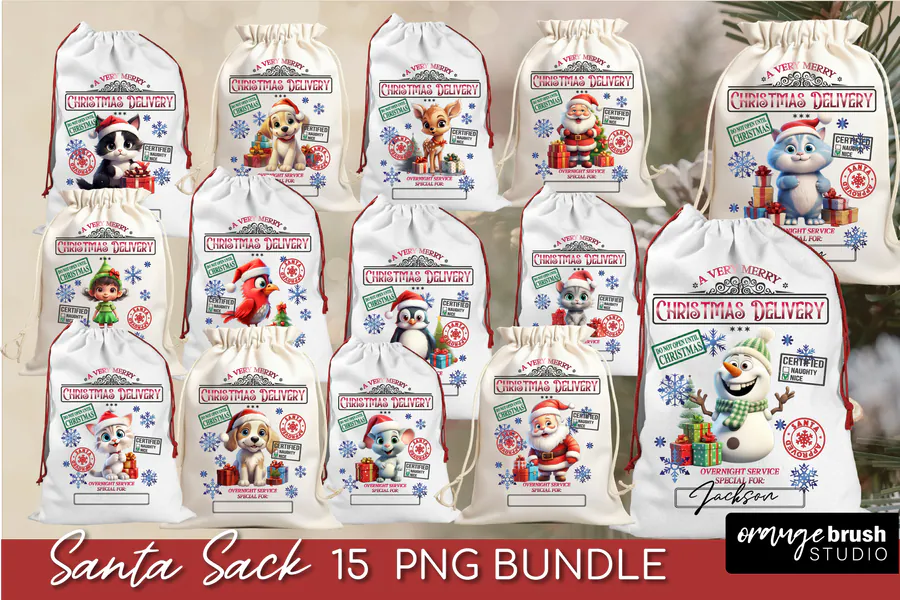
Fifteen delivery-style designs combine winter animals, snowmen and playful Christmas characters, with both transparent PNG and white-background JPG versions. The listing gives a 20×27-inch print size at 300 DPI, making this a useful set for coordinating several gift sacks.
2. Santa Sack Bundle of 12 Christmas Prints
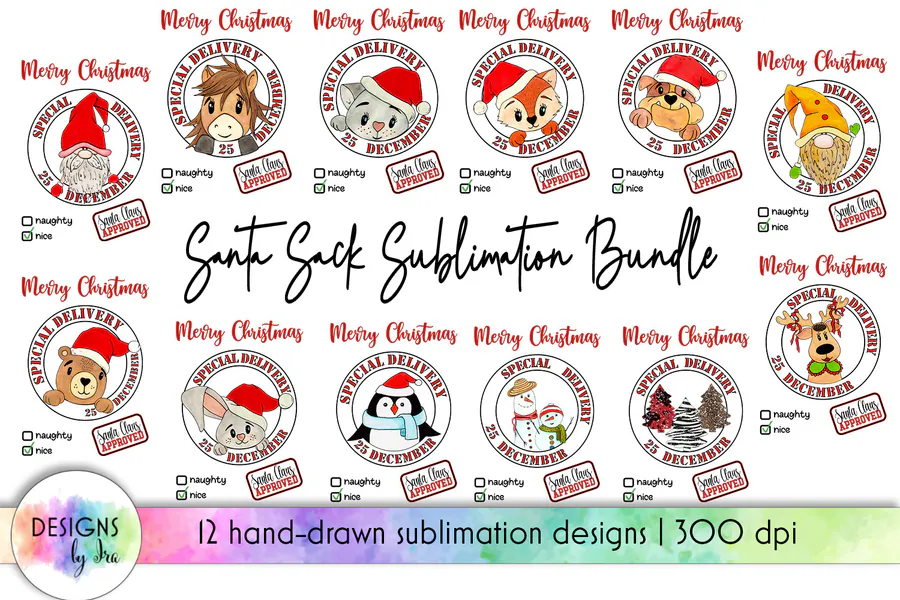
This twelve-design collection uses round Christmas delivery badges with hand-drawn characters, including Santa, snowmen and baby animals. Its transparent PNG files are listed at 27×20 inches and 300 DPI; compare the badge placement with your sack rather than assuming it is a full-front template.
3. Santa Sack Sublimation Bundle – 20 Designs
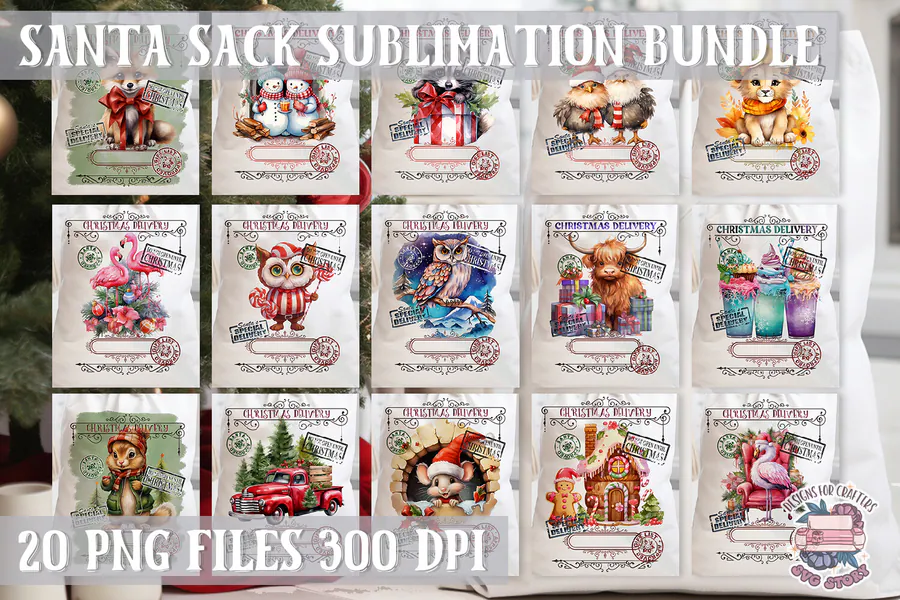
Twenty transparent PNGs pair festive illustrations with postal accents and Christmas greetings. The preview mixes characters and scenes, so you can choose different sack fronts from one 300-DPI set; physical print dimensions are not specified in the listing.
4. Santa Sack Sublimation Bundle – 20×27-Inch Set
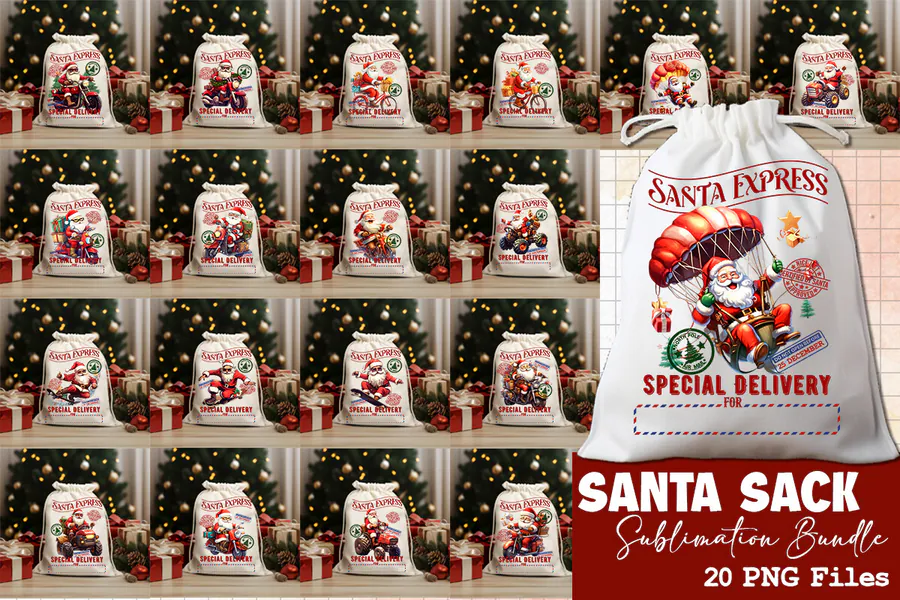
The twenty PNG files show richly colored Christmas scenes and Santa Express delivery styling. Each design is advertised in a 20×27-inch format at 300 DPI, offering a coordinated vintage look for larger gift bags.
5. Santa Sack Sublimation with Teddy Bear
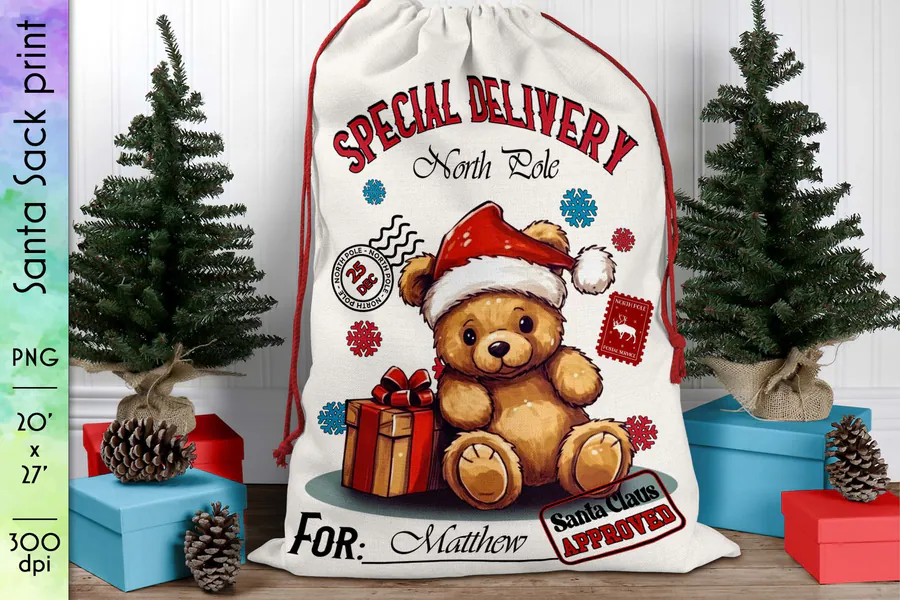
A cuddly teddy bear in a festive hat sits beneath a special-delivery heading, surrounded by blue winter details and wrapped gifts. This download supplies a 300-DPI PNG in a 20×27-inch layout for a soft, character-led sack front.
6. Santa Sack Sublimation, Gingerbread Man
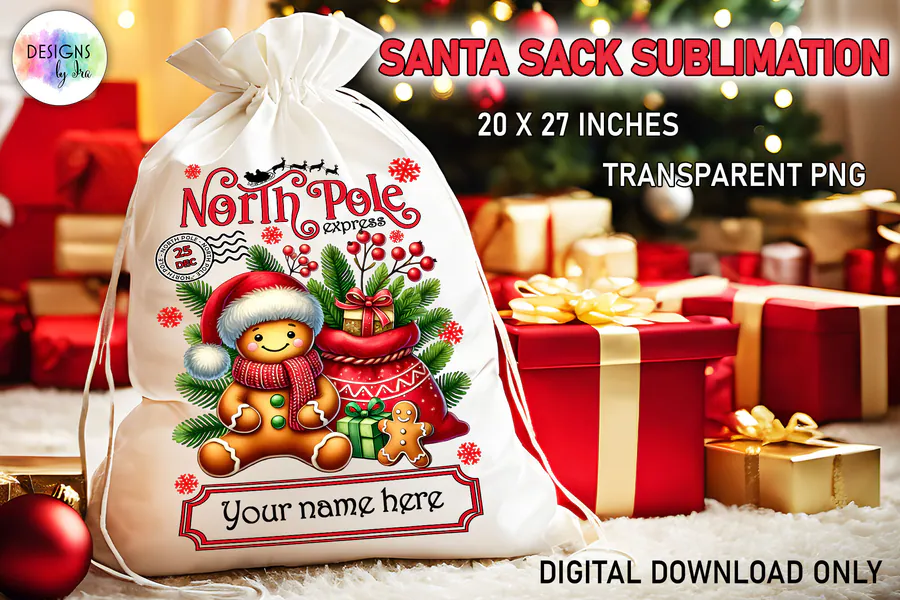
The gingerbread character brings cookie colors, candy details and North Pole postal styling to a Christmas gift sack. The supplied PNG is sized at 20×27 inches, so keep the character and name area together when adapting the composition.
7. Christmas Santa Sack Sublimation Bundle
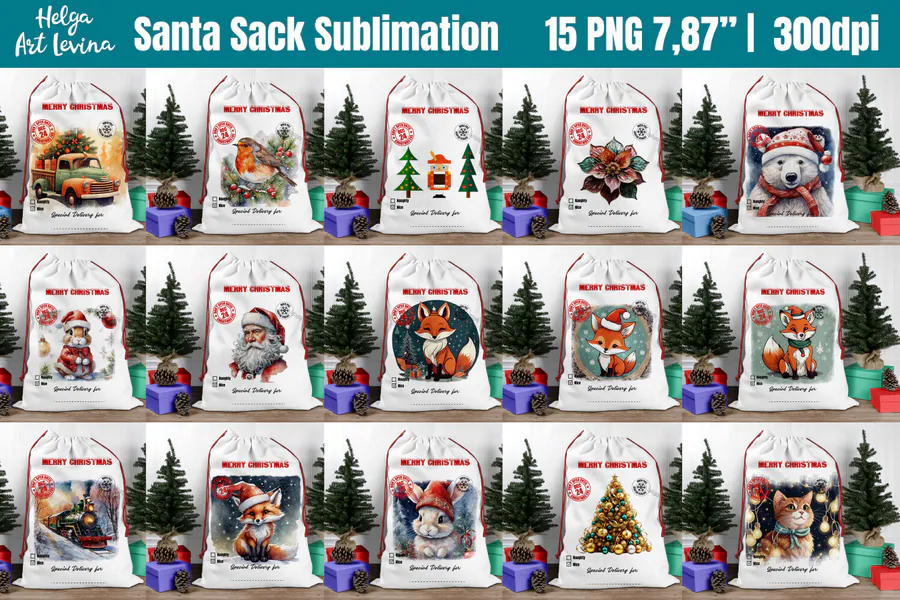
Fifteen transparent PNGs feature Christmas animals, snowy greenery and gentle holiday scenes, with coordinated Merry Christmas sack layouts in the preview. The product description specifies 6000×8100 pixels at 300 DPI; use those file specifications when planning your printable area.
8. Santa Sack Sublimation with Penguin
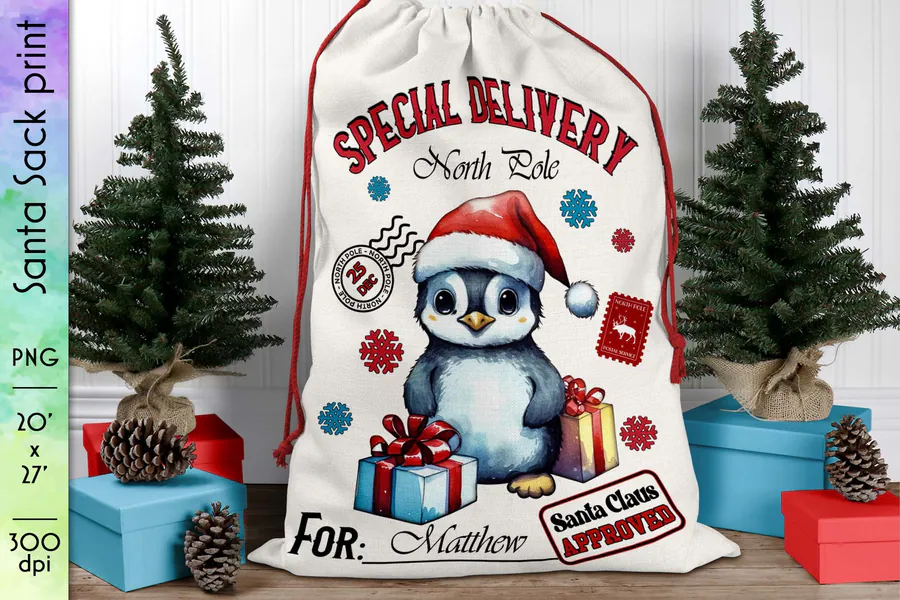
A wide-eyed penguin wearing a Santa hat holds the center of this snowy special-delivery design. The 300-DPI PNG comes in a 20×27-inch format, giving a playful alternative to the warmer brown teddy-bear and gingerbread illustrations.
9. Santa Sack Sublimation Snowman Design
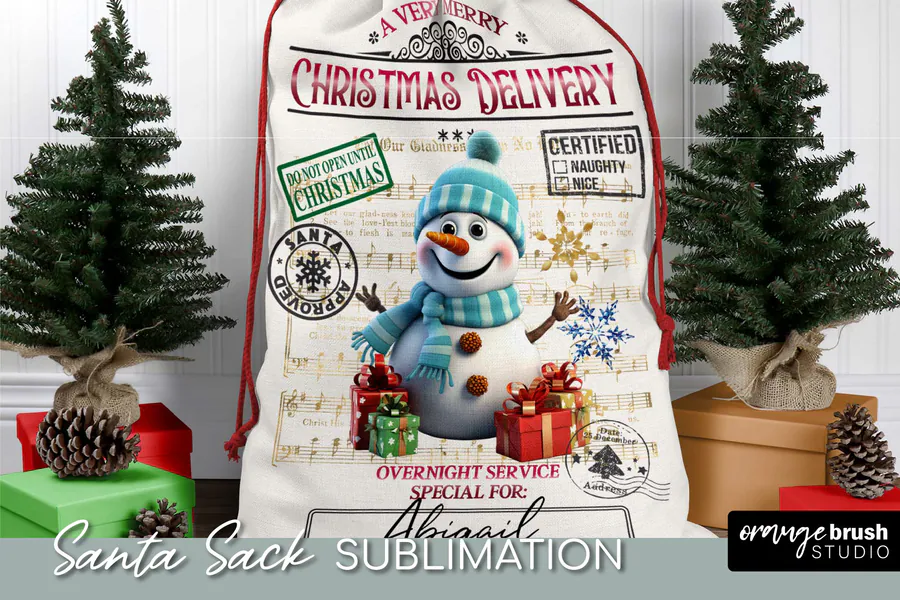
This snowman design uses a red-and-green Christmas delivery label, festive parcels and postal stamp details. You receive one PNG with a listed 20×27-inch print size; leave the lower name line unobstructed when fitting it to the sack front.
10. Santa Sack with Christmas Reindeer
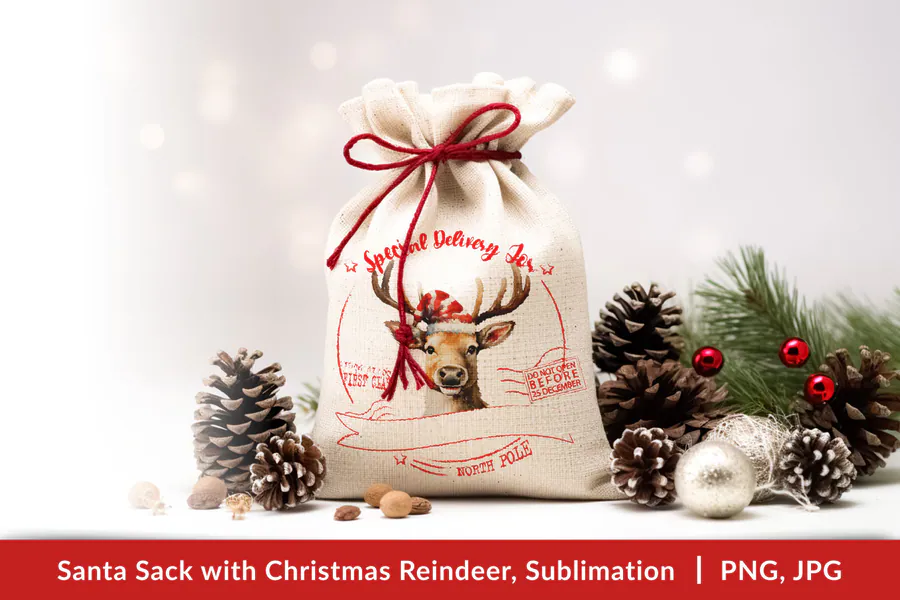
A gentle reindeer illustration sits among Christmas greenery and red delivery accents for a lighter, restrained gift-bag style. The download includes transparent PNG and JPG versions listed at 3732×3500 pixels and 300 DPI, so this squarer layout needs its own placement check on a tall sack.
How to Choose a Santa Sack Sublimation Design
- Match the artwork to the sack front: measure the usable flat area below the drawstring and keep faces, names and delivery labels away from seams.
- Pick a character for each recipient, or choose a bundle when several bags need a coordinated theme with different illustrations.
- Compare file formats and listed dimensions. A transparent PNG supports placing artwork on a layout; a JPG includes its background, and PNG designs are not layered SVG cutting files.
- Use a white or light sublimation-compatible polyester sack for a standard sublimation setup. Ordinary cotton canvas needs a suitable alternative transfer method.
How to Download, Personalize and Press Your Gift Sack
Download the files and extract any ZIP folder supplied by the designer. Open the PNG or JPG in compatible design software, add the recipient’s name where the artwork allows it and size the layout to your measured print area while keeping its proportions. Print a paper proof to inspect spelling and placement before transferring. Follow your printer workflow for mirroring text, use sublimation ink and transfer paper with a compatible light polyester blank, and follow the sack manufacturer’s pressing instructions. Keep seams and drawstring hardware out of the pressing area; the advertised artwork dimensions do not guarantee a match for every bag.
Affiliate disclosure: This post contains affiliate links. If you purchase through a link, we may receive a commission at no extra cost to you.
Frequently Asked Questions
Are these physical Santa sacks?
No. The products are digital artwork downloads. You will need to obtain a suitable blank sack and the materials and equipment for your chosen printing method separately.
Can I add a child’s name to a PNG design?
You can overlay text in software that supports PNG images when the composition has an appropriate space. The lettering already inside a flattened PNG is not an editable text layer; inspect the preview and avoid covering the main character.
Will these designs work on a cotton canvas gift bag?
Standard sublimation works best with suitable light polyester fabric. A cotton canvas sack needs a transfer method specifically compatible with cotton, so match the blank, ink and process before buying or printing.
Do all of these downloads fit a 20×27-inch sack?
No universal fit is promised. Several listings describe 20×27-inch artwork, one bundle lists 27×20 inches, and the reindeer design is listed at 3732×3500 pixels. These are artwork specifications, not a guarantee of finished sack size; measure the blank and check proportions.
Make the Gift Bag Part of the Christmas Surprise
Choose a character your recipient will love, leave a clear space for their name and confirm the layout on your blank. For more coordinating Christmas gift ideas, explore these related collections.