How to Choose Winter Sublimation Designs That Last Past Christmas
Wondering how to choose winter sublimation designs for a gift that still feels right after Christmas? Look beyond the snowflakes in the preview: a hidden greeting, decorated tree or holiday symbol can change the whole message. This guide helps you choose everyday winter motifs, match the file to your blank and preserve pale colors and small details in a practical final-size layout.
Quick Answer
- For January and February use, choose snowy scenery, cocoa, knitwear or winter animals without a holiday greeting or date.
- Inspect the whole illustration for Santa hats, ornaments and other occasion-specific details; a blue palette alone does not make art winter-neutral.
- Choose a finished graphic, individual clipart or a wrap according to the amount of layout work you want to do.
- Match the exact sublimation-compatible blank, then check the smallest important detail on an actual-size paper proof.
- Confirm that any name, initials or wording you want to change are separate editable elements or can be added in genuine open space.
In this guide:
- Separate Everyday Winter Motifs From Holiday Messages
- Inspect the Complete Graphic, Including the Background
- Choose Finished Artwork, Clipart or a Product Wrap
- Match the Winter Scene to the Blank’s Visible Area
- Keep Pale Winter Colors and Fine Lines Visible
- Choose a Personal Detail That Does Not Date the Gift
- Check the Smallest Project Before Preparing Matching Gifts
- Checklist Before You Choose a Winter Design
- Frequently Asked Questions
Separate Everyday Winter Motifs From Holiday Messages
Start with the use you have in mind. A mug for winter mornings, a snowy birthday tote and a Christmas keepsake can share similar colors while communicating different occasions. Choose what the recipient should see in the middle of January, then inspect both the focal image and its surrounding details. The word winter in a file title does not establish that the whole composition is free of holiday references.
| Motif | Can suit everyday winter | What changes the message |
|---|---|---|
| Snowman or penguin | Scarf, knit hat and snowy background | Santa hat, Christmas greeting or ornaments |
| Cabin or forest | Snowy roof, bare branches and undecorated evergreens | Festive wreaths, gifts or a decorated tree |
| Cocoa or cozy clothing | A plain warm drink, mittens or a knit pattern | Candy canes, holiday lettering or a dated celebration |
| Blue florals or snowflakes | An icy botanical or geometric arrangement | Recognizable holiday symbols or explicit occasion text |
Keep an occasion-specific design when that occasion is the point of the gift. For example, Hanukkah gift artwork belongs to a particular celebration; it should not be treated as generic winter decoration simply because it uses blue and gold.
Inspect the Complete Graphic, Including the Background
Zoom in far enough to read every phrase, then zoom out to judge the complete arrangement. Small ornaments, a seasonal character’s hat or a greeting worked into a border may be easy to miss in a busy mockup. Also check the actual file preview rather than assuming that every object in a staged photograph is part of the download.
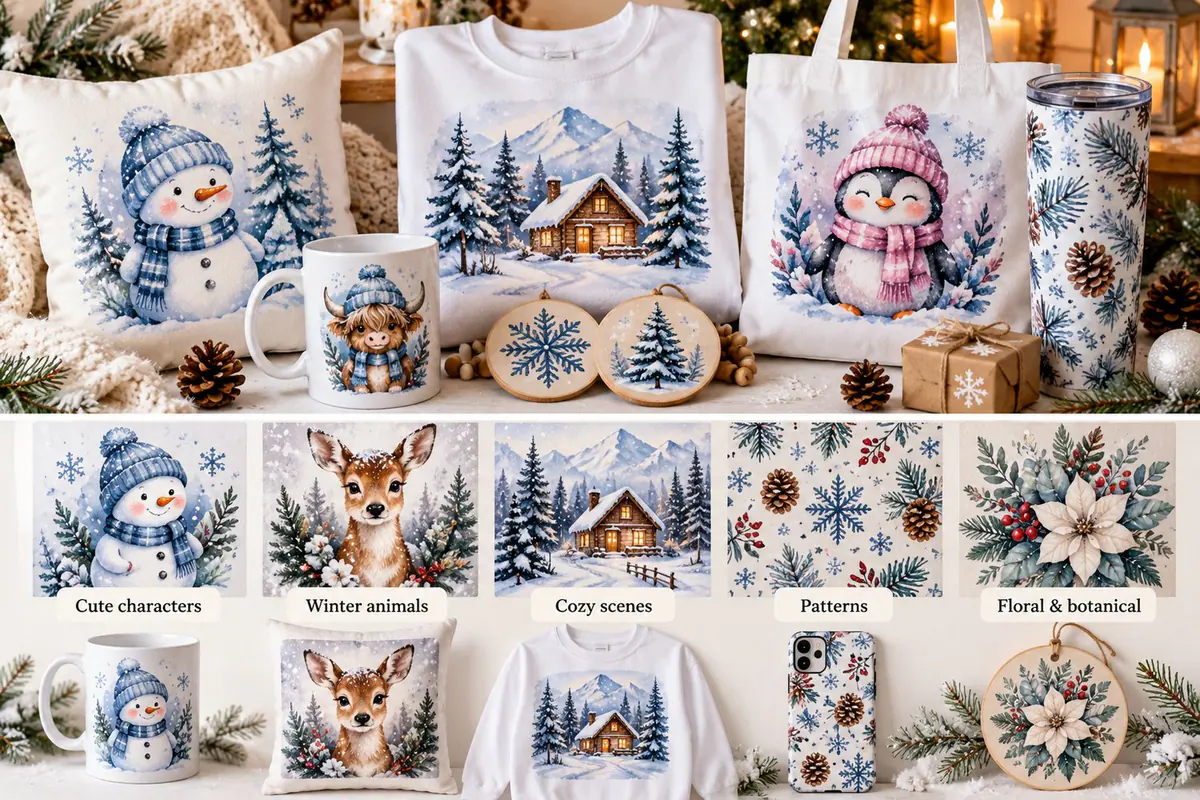
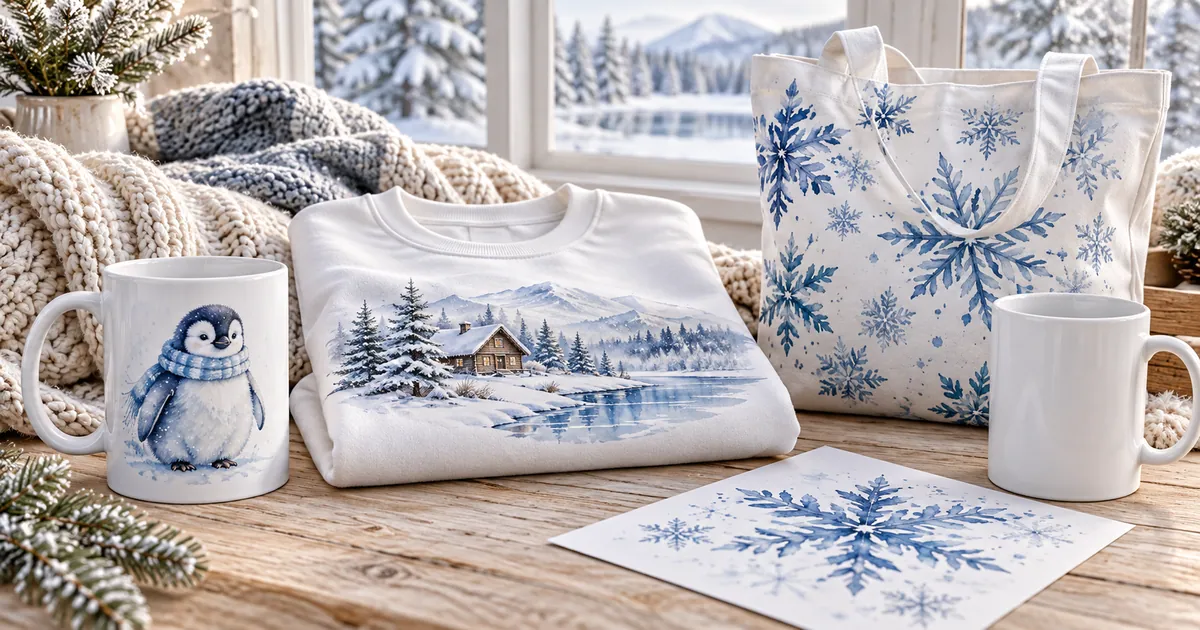
The illustration above compares characters, animals, scenes, patterns and florals on different projects. The floral example includes holiday-associated foliage, which is a useful reminder to inspect individual motifs instead of approving a whole bundle as winter-neutral. The snowflake or cabin option may fit your intended use better, depending on its complete artwork.
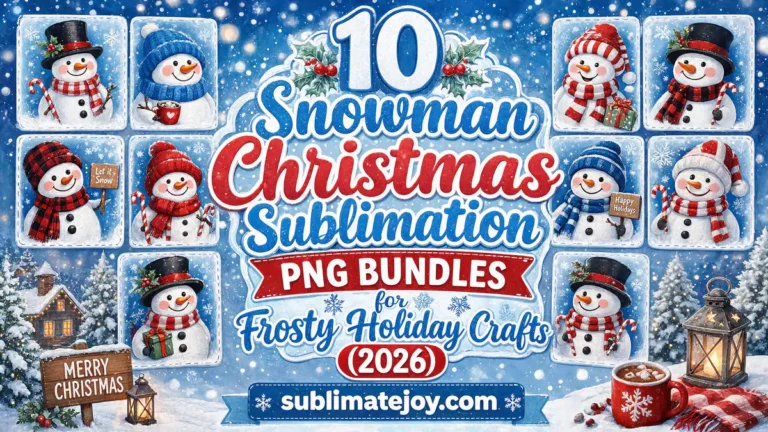
Use the winter PNG selection to compare penguins, cocoa, snowflakes and cabins. When browsing the snowman holiday bundles, check each design separately: one snowy character can be versatile while another includes a Christmas phrase you cannot remove from a flattened file.
Choose Finished Artwork, Clipart or a Product Wrap
A finished PNG is convenient when you want one complete composition. It may combine the illustration and lettering into a single image, so you should like the arrangement as supplied. Separate clipart gives you more control over the number of snowflakes, the space for a name and the balance of a small scene, but it also requires you to build the layout.
A repeating pattern works differently again: it is background artwork whose crop and repetition must suit your project. A complete mug or tumbler wrap should be checked against the exact blank’s dimensions and shape. These file types are not interchangeable simply because they share the same winter theme.
Decide how much editing you actually need. If you want one clear penguin on a tote, a simple isolated illustration may be easier than dismantling a full scene. If you want a snowy initial, verify that the letter or alphabet elements you need are included. An impressive bundle count does not answer either question.
Match the Winter Scene to the Blank’s Visible Area
Choose a light fabric blank suitable for your sublimation process or a hard blank with the appropriate prepared surface. Material compatibility comes before style. A white cotton sweatshirt, ordinary wooden ornament or everyday ceramic mug is not automatically a direct sublimation blank, even when the mockup looks similar to your intended gift.
Then choose the crop for its actual viewing area. A wide cabin landscape can work across a roomy front panel but lose its focal building when reduced into a small circle. One penguin or snowflake may suit a compact coaster better. On a tote, keep the image within the usable area between seams and away from a base fold.
For ceramic drinkware, the mug design fit guide covers the separate wrap dimensions and handle clearance. For other gift surfaces, use the Christmas gift blank guide for its panel and cutout checks while choosing winter artwork appropriate to your own occasion.
Keep Pale Winter Colors and Fine Lines Visible
Winter artwork often relies on pale blue washes, gray shadows and thin snowflake lines. Check whether the focal feature has enough separation from the surrounding background at the intended size. A delicate white snowflake in a pale scene can disappear visually even when the file contains plenty of pixels. A darker outline or a simpler motif may make the same idea easier to recognize.
For a target of 300 pixels per inch, a 4-inch-square design requires 1200 × 1200 source pixels. An 8-inch-square design requires 2400 × 2400 pixels. Calculate from the dimensions you will actually print; changing the DPI metadata of a small PNG does not create the detail needed for a larger panel.
Inspect a paper proof for fine lettering, a character’s eyes and the thinnest branches. It is a layout and readability check, not a reliable prediction of sublimated color. For the final transfer, use the printing workflow and press instructions appropriate to your blank instead of choosing a setting from the artwork’s winter label.
Choose a Personal Detail That Does Not Date the Gift
A name or initial can make a winter gift personal without tying it to a single holiday. Reserve a quiet part of the composition for that detail, and keep the lettering separate from a busy snowfall or branch pattern. For a short name, one line may work; a longer name may need a different layout rather than a smaller and smaller font.
Check how the file supports your plan. A name shown on a mug in the preview may be an example, not an editable text field in the download. Separate clipart or a clear blank area can support lettering you add yourself. If the existing phrase is baked into a finished PNG, assume it stays there unless the description confirms an editable version.
For a recipient who enjoys cozy clothing motifs, the hat artwork roundup includes a Hello Winter knit-hat design. That is a motif to compare, not a claim that every file in the mixed collection is winter-neutral or that it fits a physical hat blank.
Check the Smallest Project Before Preparing Matching Gifts
If you are making a mug and a tote with coordinated artwork, design each placement separately. Their sizes and proportions may call for different elements from the same palette. Keep the smallest project in view while choosing the motif: it is where crowded lettering and delicate detail are most likely to become hard to appreciate.
- Write down the recipient, the intended winter use and the exact blank. Decide whether holiday-specific details belong in the gift.
- Inspect the full artwork and its words. Check the list of included formats, pixel dimensions and any editable elements.
- Place the chosen composition inside the correct template or measured printable panel. Preserve its proportions while resizing.
- Print a paper layout at actual size, with automatic page scaling disabled. Check the physical dimensions with a ruler.
- Read names and phrases and inspect the focal detail on the smallest version. Remove unwanted occasion references only when the file genuinely supports that edit.
- Save the final layout and prepare the transfer using the blank supplier’s printing, pressing and cooling guidance.
Checklist Before You Choose a Winter Design
- The theme suits the recipient and the intended months of use.
- The complete graphic has no unwanted greeting, date or holiday symbol.
- The download provides the layout type you need.
- The blank is suitable for your sublimation process.
- The crop preserves the main character, scene or message.
- Pixel dimensions support the chosen physical print size.
- Pale details and thin lines remain recognizable on a paper proof.
- Any personalization can be added or edited as planned.
- Matching gifts have separate layouts for their own surfaces.
Find Designs for Your Project
Choose individual files by their complete motifs, rather than judging a bundle by its title alone.
- Winter PNGs for snowy days and cozy gifts — compare snowflakes, penguins, cocoa and cabin scenes
- Snowman artwork bundles — inspect the individual character, greeting and holiday accessories
- Hat illustration options — find the Hello Winter knit-hat motif within a mixed seasonal collection
Frequently Asked Questions
Can a snowman design work after Christmas?
Yes, when its complete composition suits everyday winter. A scarf, knit hat or snowy scene may work well, while a Santa hat, decorated tree or Christmas greeting changes the occasion.
Does a blue color palette make a design winter-neutral?
No. Blue artwork can still include holiday-specific wording or symbols. Inspect the motif and message together, and choose an occasion-specific gift intentionally rather than relying on color alone.
Can I remove a Christmas phrase from a PNG?
A flattened PNG does not usually contain separate editable lettering. Look for a version without text or confirmed editable elements; otherwise removing the words may also damage the illustration behind them.
Can I use the same winter file on a mug and a shirt?
Sometimes, but each surface needs a separate size and placement check. A complete wrap may not suit a shirt panel, while isolated clipart can be more flexible if it has enough source pixels.
Choose a Winter Gift With a Clear Purpose
Let the recipient, the usable surface and the full message guide your choice. A simple winter motif that fits the blank and remains readable can feel personal through the colder months without depending on a holiday greeting.