How to Choose Christmas Sublimation Designs for Handmade Gifts
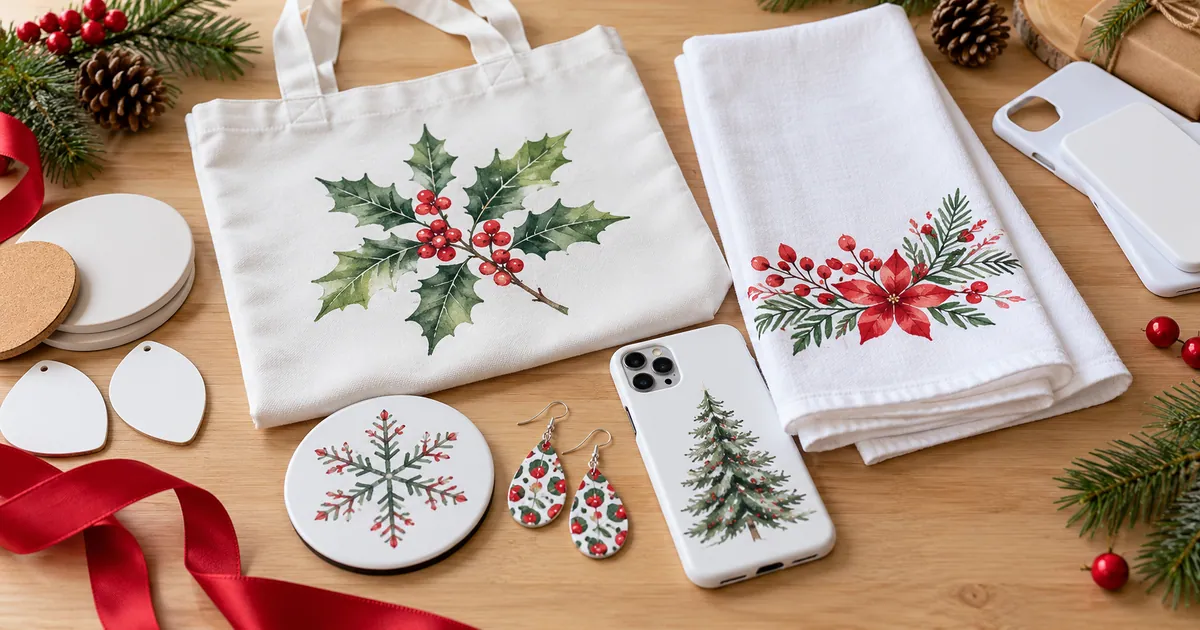
Wondering how to choose Christmas sublimation designs for gifts people will actually use? Start with the blank, then the space it leaves for the artwork. A lovely illustration can lose its meaning when a towel folds through the face or a camera opening removes the punch line. This guide helps you match five practical gift blanks to the right composition, check the file at its finished size and make a paper proof before committing your materials.
Quick Answer
- Choose a sublimation-compatible blank and its exact template before choosing artwork.
- Keep names, faces and short greetings inside the usable area, clear of seams, folds, holes and camera cutouts.
- Match the design’s proportions to the surface: vertical towel panels, compact earrings and the exact phone insert.
- Inspect actual pixel dimensions and a full-size paper proof; a 300 DPI label alone does not guarantee a suitable print.
- Choose the recipient’s preferred style and confirm any professional title before personalizing a gift.
In this guide:
- Match the Gift Blank to the Artwork First
- Give Tote Artwork Room Between the Seams
- Design for the Part of the Towel You Can See
- Separate Table Coasters From Car Coasters
- Check Christmas Earrings as a Finished Pair
- Protect the Joke From the Phone Camera Cutout
- Personalize the Gift Without Guessing the Recipient’s Details
- Check the Download and Make a Paper Proof
- Checklist Before You Download
- Frequently Asked Questions
Match the Gift Blank to the Artwork First
Start by writing down the blank’s material, usable dimensions and display direction. Light polyester fabric and appropriately coated hard surfaces are familiar sublimation choices, but a white appearance does not establish compatibility. An ordinary cotton bag or towel needs another suitable transfer process; a generic phone shell is not automatically a sublimation insert.
Use this table to narrow the layout before browsing. Its constraints describe the surface, not a universal template: two blanks with the same name can still have different dimensions. Keep the supplier’s outline nearby while comparing the artwork, and reject a design if fitting it would remove its main subject.
| Blank | Layout to look for | Area to protect |
|---|---|---|
| Tote | One focal graphic sized to the flat panel | Seams, gusset folds and handle attachments |
| Kitchen towel | Compact or vertical art on the displayed panel | Fold line and lower hem |
| Home or car coaster | Exact square, circle or notched layout | Outer edge and any removal notch |
| Earrings | Simple paired motifs inside the shape | Hardware hole and narrow tip |
| Phone insert | Model-specific composition or adaptable pattern | Camera opening and curved corners |
Give Tote Artwork Room Between the Seams
A tote offers a larger canvas than jewelry, but the whole bag is rarely one uninterrupted printing surface. Flatten your chosen blank and measure the area that can lie evenly against the press. A gusset, heavy side stitching or the base fold can change that area. Plan the illustration within the clear front panel rather than scaling it to the outer dimensions of the bag.
Try a square tree scene for a broad shopping tote or a tall character for a narrow gift bag. Keep lettering beneath the handle attachments and avoid placing the lowest part of a character across the base fold. Check the Christmas tote designs for different proportions, then compare the chosen file with your measured panel.
Tip: Place a paper outline on the empty bag and lift it by its handles. This reveals whether the design would sit too low when the bag hangs naturally.
Design for the Part of the Towel You Can See
Fold the unprinted towel as it will hang over a rail, then measure the front-facing panel. That smaller rectangle is the space your recipient will usually see. A gingerbread figure may fit neatly there, while a landscape or long baking phrase can disappear into the side folds. Mark the visible panel on a paper sketch before opening the design file.
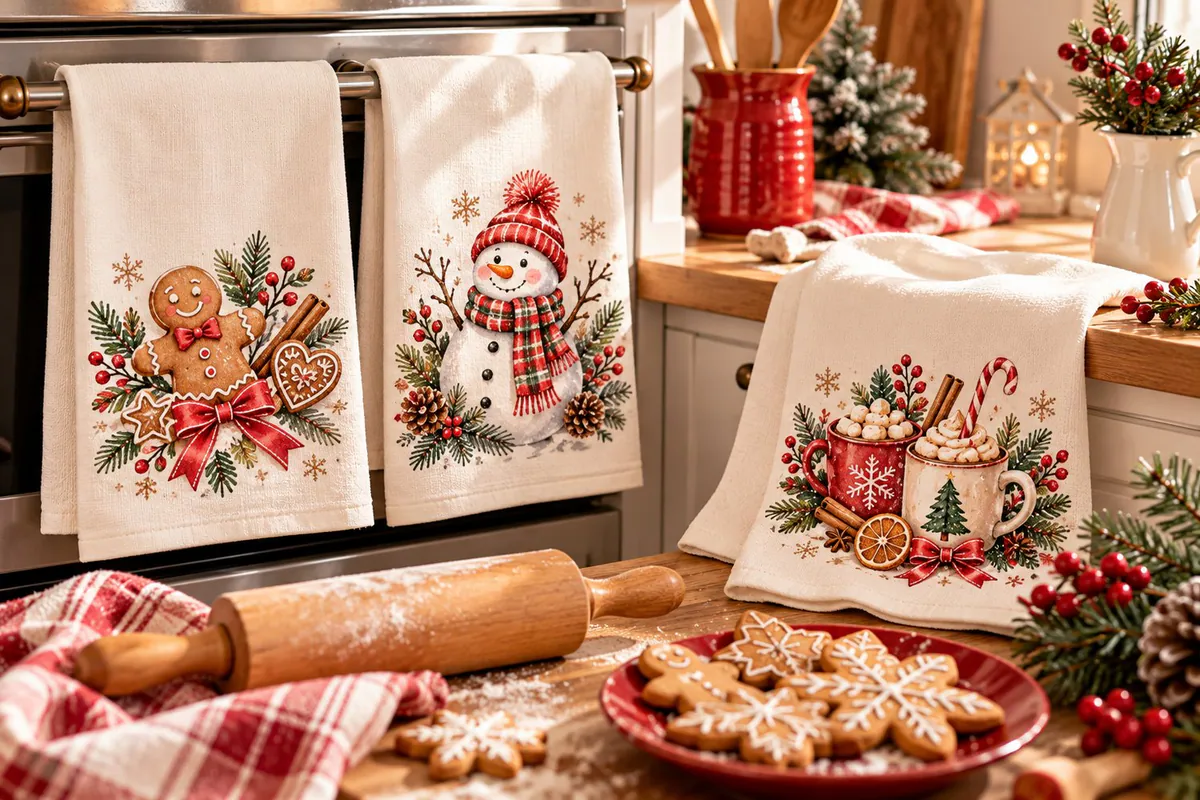
Leave breathing room above the lower hem and below the fold. Texture also matters: a delicate recipe-style script needs more space than a simple snowman on a smooth printable area. Compare the compositions in the Christmas kitchen towel selection, looking at the complete phrase rather than only its decorative heading.
For a hostess gift, choose a palette that belongs in the recipient’s kitchen. A towel and a small coaster can share red bows or snowy greenery without repeating the identical drawing at incompatible sizes.
Separate Table Coasters From Car Coasters
A square table coaster and a small cup-holder insert need different crops. A square winter scene can lose its corners inside a circular outline; a round composition may leave blank corners when placed on a square. Decide which surface you are decorating before judging whether the download fits. The Christmas coaster roundup includes both home and car layouts to compare.
If a car blank has a removal notch, mark its position on the template and move the focal character away from it. Do not assume that any circular keychain or coaster file already accounts for that notch. For a coordinated table set, vary the characters while keeping a shared border or color palette. On the smaller car format, one recognizable tree or face can be clearer than a busy village.
Tip: A cup can cover the center of a coaster in use. Border patterns remain visible around it, while a central greeting is mainly seen before the drink is set down.
Check Christmas Earrings as a Finished Pair
Bring the artwork into the exact silhouette of your earring blank. A teardrop narrows near the hardware and at the tip; a round blank offers different room for a wreath or bow. Preserve the strongest feature in the wider part of the shape and keep it clear of the hole. Reducing an elaborate holiday scene may leave only a blur of tiny ornaments.
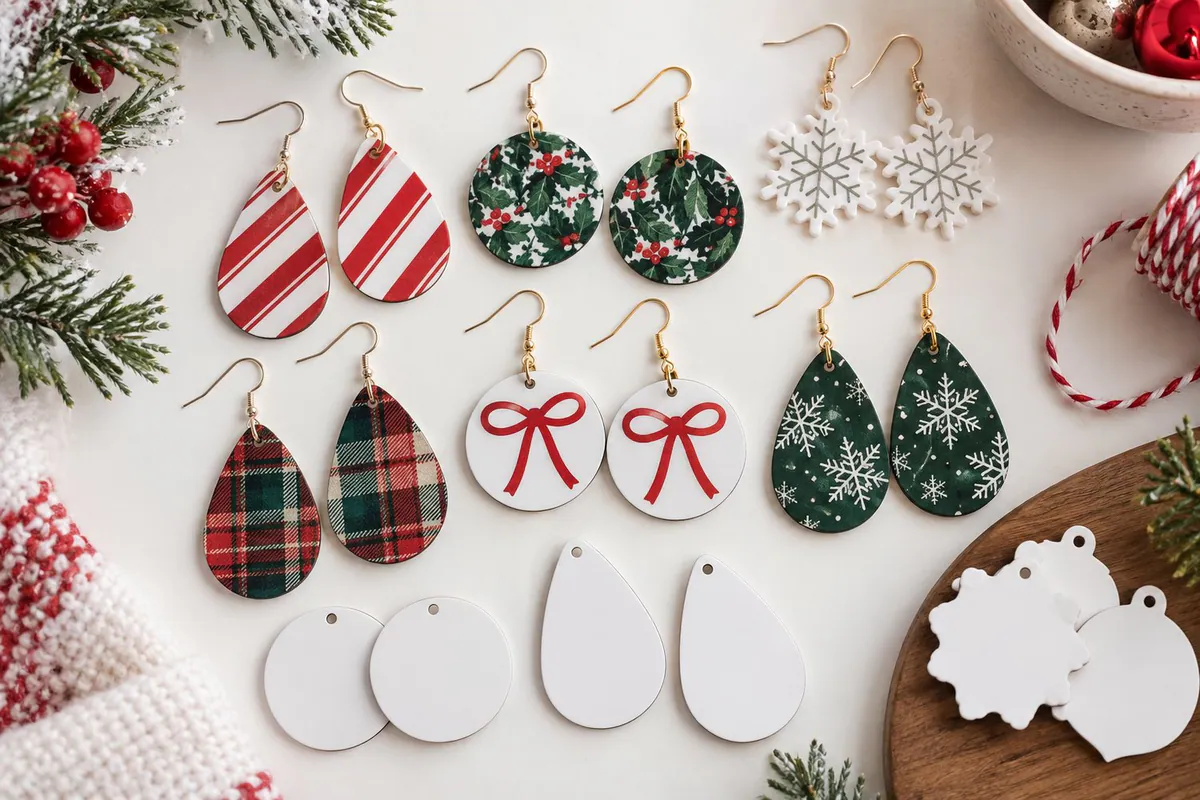
Arrange two paper copies next to each other at their intended size. Centered bows and repeated snowflakes usually make an easy visual pair, while a sideways face requires a conscious decision about direction. Mirroring an illustration for visual balance is different from mirroring a transfer for printing: do not reverse readable words as part of the pair layout. Browse Christmas earring designs only after settling the blank shape.
Tip: Treat gold, glitter and raised-looking details in a printed file as visual effects; they do not add metallic material or physical relief to the blank.
Protect the Joke From the Phone Camera Cutout
Confirm the recipient’s exact phone model and the corresponding insert template. Similar-looking cases can have different camera openings, corner curves and proportions. Position the artwork against that outline before resizing it. A snowman’s hat or the opening words of a joke are easy to lose if they occupy the upper corner where the camera sits.
With one focal illustration, move the entire character and its wording together into the available space. With a repeating pattern, inspect the crop for awkward half-faces along the opening and edges. The funny Christmas phone case ideas offer both approaches; the pattern still needs a model-specific placement check.
Choose a short greeting whose letters remain clear on a real-size proof. Ask whether the recipient would enjoy that joke on an accessory they carry daily. A cute gingerbread motif and a sarcastic phrase can suit very different people, even when both use the same festive palette.
Personalize the Gift Without Guessing the Recipient’s Details
Make two decisions separately: the person’s preferred visual style and the information you want to add. Traditional red-and-green foliage, soft watercolor florals and playful holiday animals can all feel personal without a printed name. For a set of family gifts, use a shared palette and a different focal motif on each item rather than forcing one layout across every blank.
For a healthcare gift, confirm the wording before selecting an RN, LPN or other role-specific graphic. A job-title design is only appropriate when it accurately describes the recipient. If you cannot confirm it, choose a general medical motif or a seasonal illustration. The Christmas nurse gift designs help compare title-led and more general options.
A name visible in a mockup does not prove the download contains an editable text field. Check the file description for an editable format or choose art with genuine open space for lettering you add yourself. Confirm spelling before laying out the final transfer.
Check the Download and Make a Paper Proof
Inspect the delivered format and actual pixel dimensions. A transparent PNG makes it easier to place isolated art, while a JPG may include a fixed rectangular background. An SVG may offer editable shapes, but the supplied artwork and your software determine what you can change. Avoid relying on a screenshot of the preview as your print file.
- Set the document to the supplier’s template in inches or millimeters. Keep the artwork’s width-to-height ratio locked when resizing it.
- At a 300-pixels-per-inch target, multiply the intended width and height in inches by 300. A 4-inch-square print needs 1200 by 1200 source pixels for that target.
- Print an ordinary paper layout at actual size. Disable fit-to-page, check its dimensions with a ruler, then place or fold it against the blank.
- Read the wording and inspect the main feature in the final crop. Remove template outlines before preparing the transfer.
- Use the blank supplier’s material-specific instructions for mirroring, time, pressure, temperature and cooling. Different gift blanks do not share one universal press setting.
Checklist Before You Download
- The blank is explicitly suitable for your sublimation process.
- The exact printable panel or insert template is available.
- Faces and wording survive the crop without distortion.
- Folds, holes, notches and seams avoid the focal details.
- The artwork remains clear on an actual-size paper proof.
- Pixel dimensions support the intended physical print size.
- The recipient’s name, model number and any job title are confirmed.
- Any required editable elements are actually included in the file.
Find Designs for Your Project
Use the surface you measured to choose the next collection.
- Christmas tote bag designs — compare broad shopping-bag art and taller gift-bag compositions
- Christmas kitchen towel artwork — look for figures and phrases that fit the visible hanging panel
- Christmas home and car coaster designs — choose the correct square, circular or notched layout
- Christmas earring artwork — compare motifs for compact jewelry silhouettes
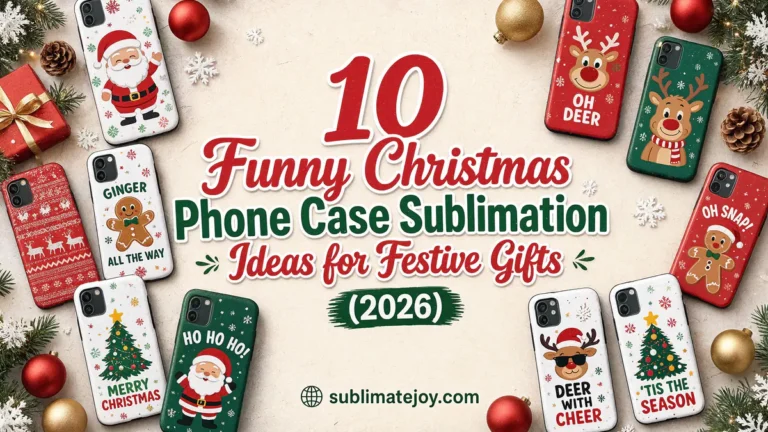
- Funny Christmas phone case designs — compare focal characters and adaptable repeating patterns
Frequently Asked Questions
Can one Christmas PNG work on all five gift blanks?
Sometimes, but each surface needs its own placement and size check. A central illustration may adapt well; a complete wrap or intricate phrase often needs a different composition for small jewelry or a phone insert.
Can I sublimate an ordinary cotton tote or towel?
Standard dye sublimation is suited to compatible polyester or prepared sublimation surfaces. An ordinary cotton blank needs another appropriate process. Check the blank description before choosing your artwork and transfer method.
Does 300 DPI mean the file can print at any size?
No. The available pixels limit how large the image can print at that density. Compare its pixel width and height with your intended dimensions; changing the DPI label does not create missing detail.
Should I use the same press settings for every gift?
No. Fabric, coated hardboard, ceramic and phone inserts can have different requirements. Follow the instructions for each exact blank and suitable equipment rather than treating the design file as a pressing recipe.
Choose the Surface, Then the Christmas Design
Once the printable space and recipient are clear, you can judge a design by its actual fit. Keep the paper proof with your chosen template so the final transfer starts from a deliberate layout instead of another round of resizing.